Setup wizard
The guided setup page that tracks your onboarding progress step by step.
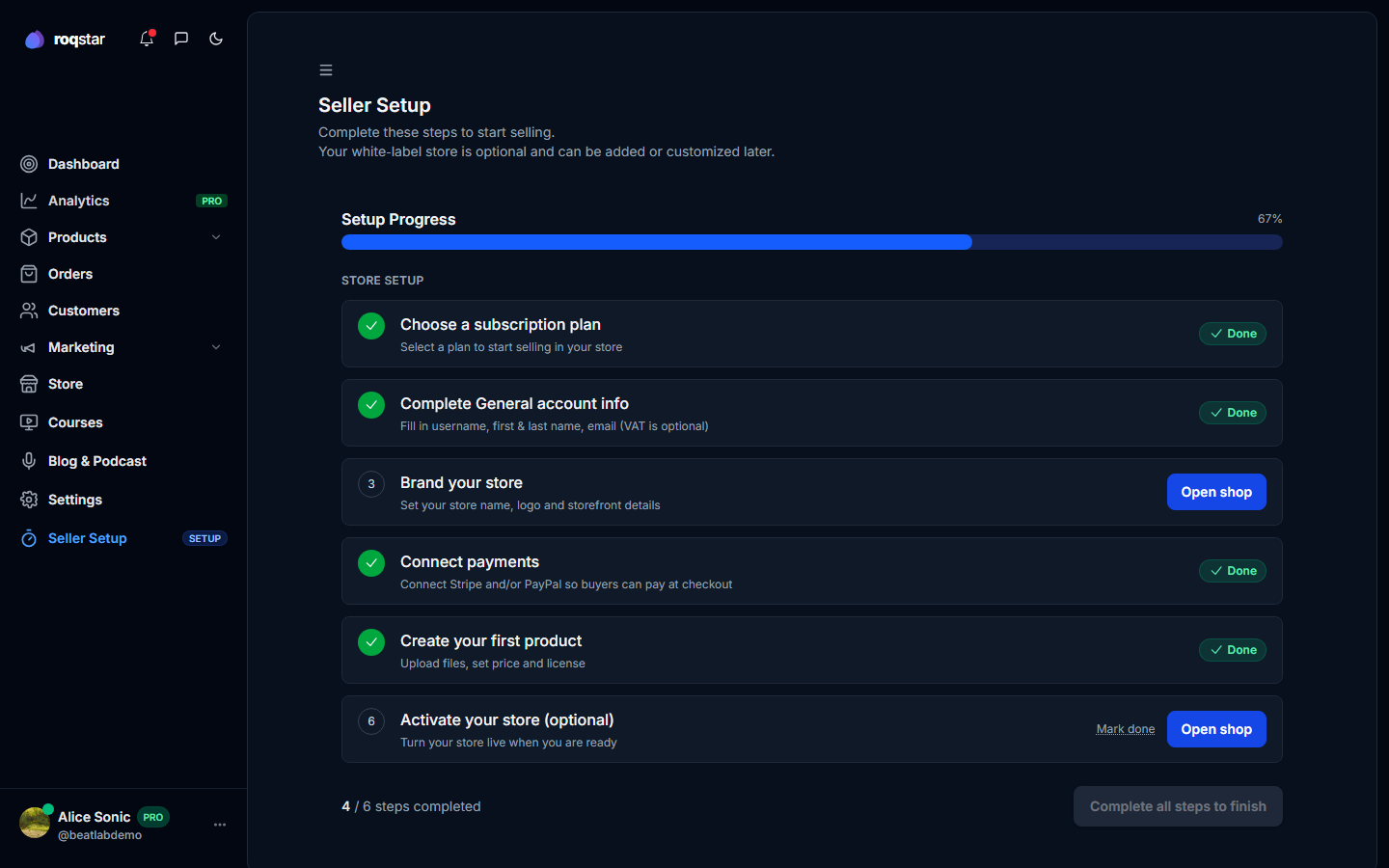
A progress tracker in the sidebar that guides you through setup. Explore first; choose a plan when you are ready for buyers to pay.
Steps
- Complete general account info: fill in username, name, email, and optional VAT in Settings > General.
- Complete public profile: add photo, headline, and bio in Settings > Profile.
- Brand your store: set store name, logo, and description in Store settings.
- Connect payments: complete Stripe Connect onboarding (and optionally PayPal) in Settings > Payments.
- Create your first product: add at least one product using Add Product or the Product wizard.
- Choose a plan when you are ready to sell: pick a tier in Settings > Billing. Not needed to explore. Required before buyers can pay. You can skip this for now.
- Activate your store (optional): go live when plan and payments are ready. Not needed to finish setup.
How completion works
Each step auto-detects when it is done. A progress bar at the top shows your percentage. When mandatory steps are complete (and optional ones are done or skipped), click Finish setup to dismiss the checklist and redirect to your dashboard.
The plan step and "Activate your store" can be skipped for now. An active plan is still required before go-live, checkout, or marketplace listing.