Email Automations
Trigger-based email sequences: welcome series, post-purchase follow-ups, wait steps, and conditional branches.
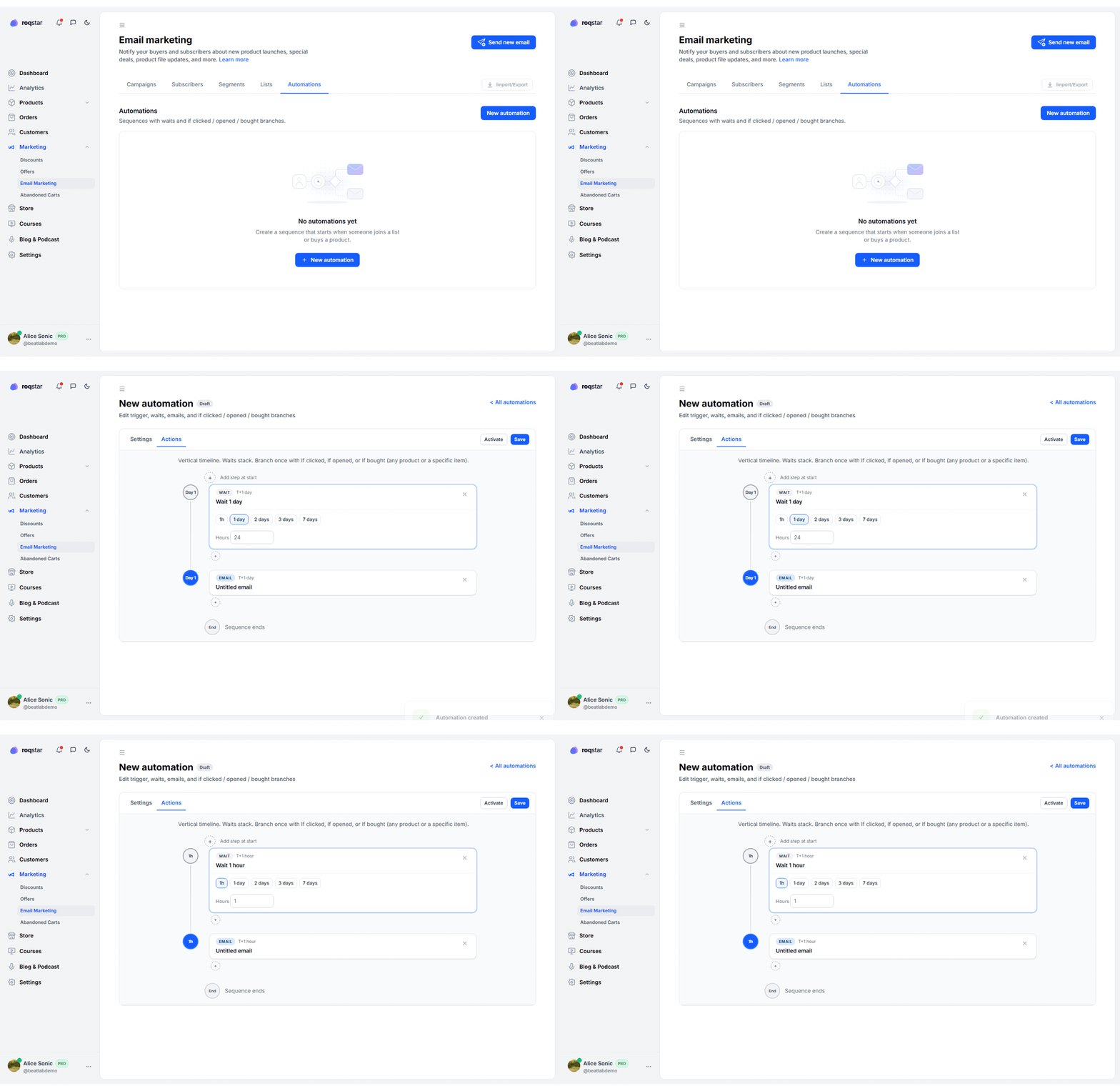
Build sequences that send automatically when a contact joins a list or completes a purchase. Find them under Marketing > Email Marketing > Automations.
Triggers
Each automation starts with one trigger:
- Subscriber joins a list: fires when a contact is added to a specific list.
- Customer purchases a product: fires on any completed purchase (any product) or when a specific product is bought.
Steps
Add steps to the timeline after the trigger:
- Wait: delay before the next step. Enter whole hours. Presets: 1 hour, 1 day (24 h), 2 days (48 h), 3 days (72 h), 7 days (168 h). Set to 0 hours to send immediately. A new automation draft starts with Wait 1 day followed by Send email.
- Send email: compose subject, preheader, and body. The From display name is your store name. The From address is no-reply@roqstar.io. Reply-To is your store owner email so replies land in your inbox.
- If clicked / If opened / If bought: conditional branch. Add a Yes path for contacts who met the condition and a No path for those who did not. Each branch can include its own wait and send steps.
Statuses
- Draft: not running. No new contacts are enrolled. Use this while building.
- Active: enrolling contacts and sending emails per the schedule.
- Paused: enrollment stops. Contacts already in the sequence keep their position but no emails send until you resume.
Enrolled and Sent counters
Each automation shows an Enrolled count (contacts who entered the sequence since it became active) and a Sent count (emails successfully dispatched). If Sent stays at 0 after contacts are enrolled, see Automation emails not sending.
Delivery timing
Automation emails are dispatched on each cron run. In production expect a delay of a few minutes. In test environments the cron typically runs about every 2 minutes. A Wait 0 hours step sends on the next cron run after enrollment.
Exiting an automation
A contact exits when they reach the end of the sequence, unsubscribe, bounce, or mark your email as spam. They do not re-enter an automation they have already completed.