Orders
View purchases, order details, invoices, and issue refunds.
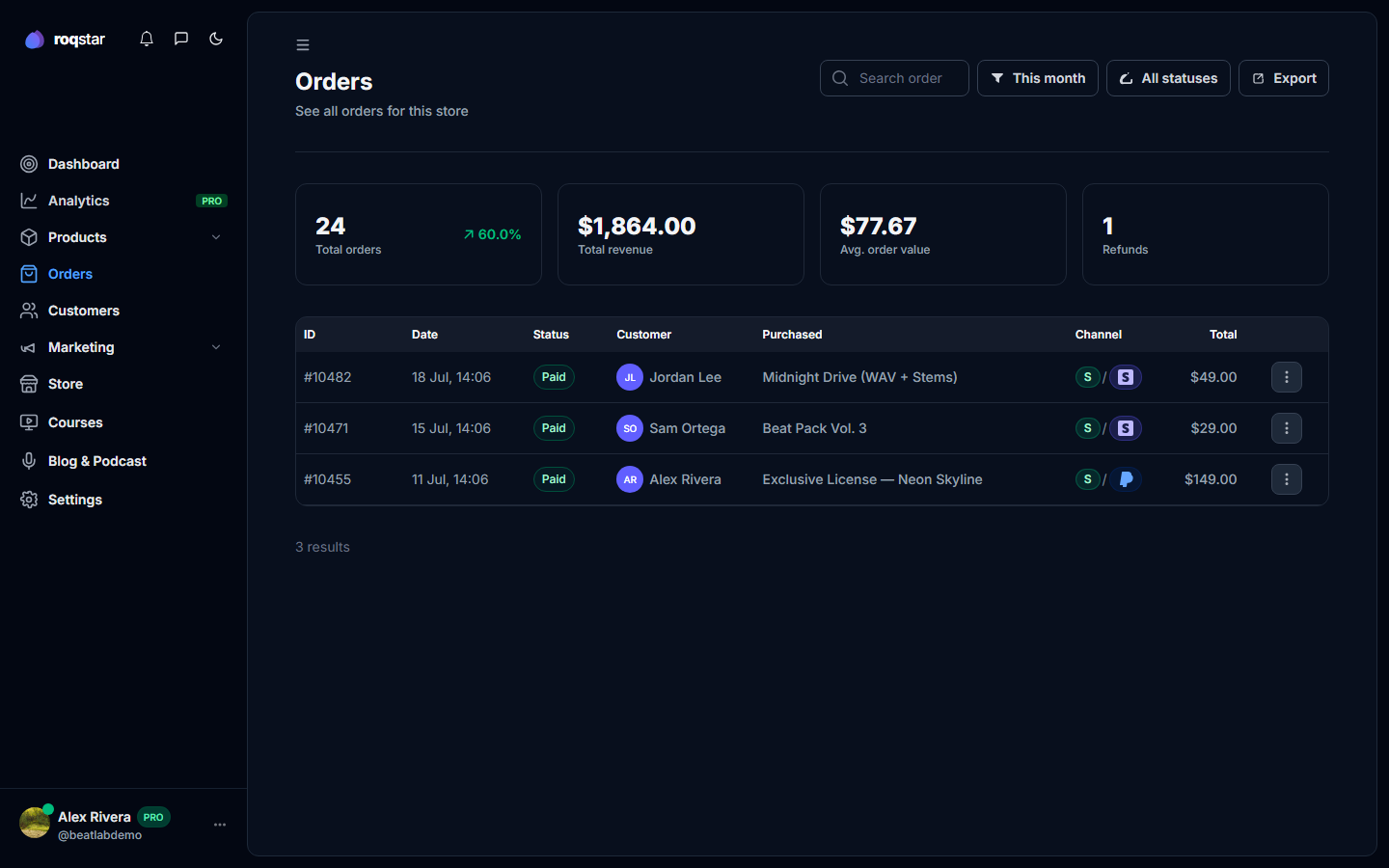
Every completed purchase appears under Orders in the sidebar.
Order list
Filter by date range (Today, This week, 30 days, This month, Last month, This year, All, Custom) and status (Paid, Pending, Processing, Refunded, Failed, Canceled). Search by order number or buyer name.
Stats
Cards show Total orders (with % change), Total revenue, Avg order value, and Refunds.
Order detail and invoices
Click an order to see the full invoice: buyer/seller info, line items with license, subtotal, total, and a Transactions panel (date, provider, type, amount, IDs). Multi-item orders expand to show each line.
Refunds
Refund individual items via the order actions menu. Enter the amount and reason; it is processed through Stripe/PayPal.
Digital delivery
Fulfillment is automatic after payment. Buyers access downloads via My Orders and email links.