Products
Create, edit, publish, and organize your digital product catalog.
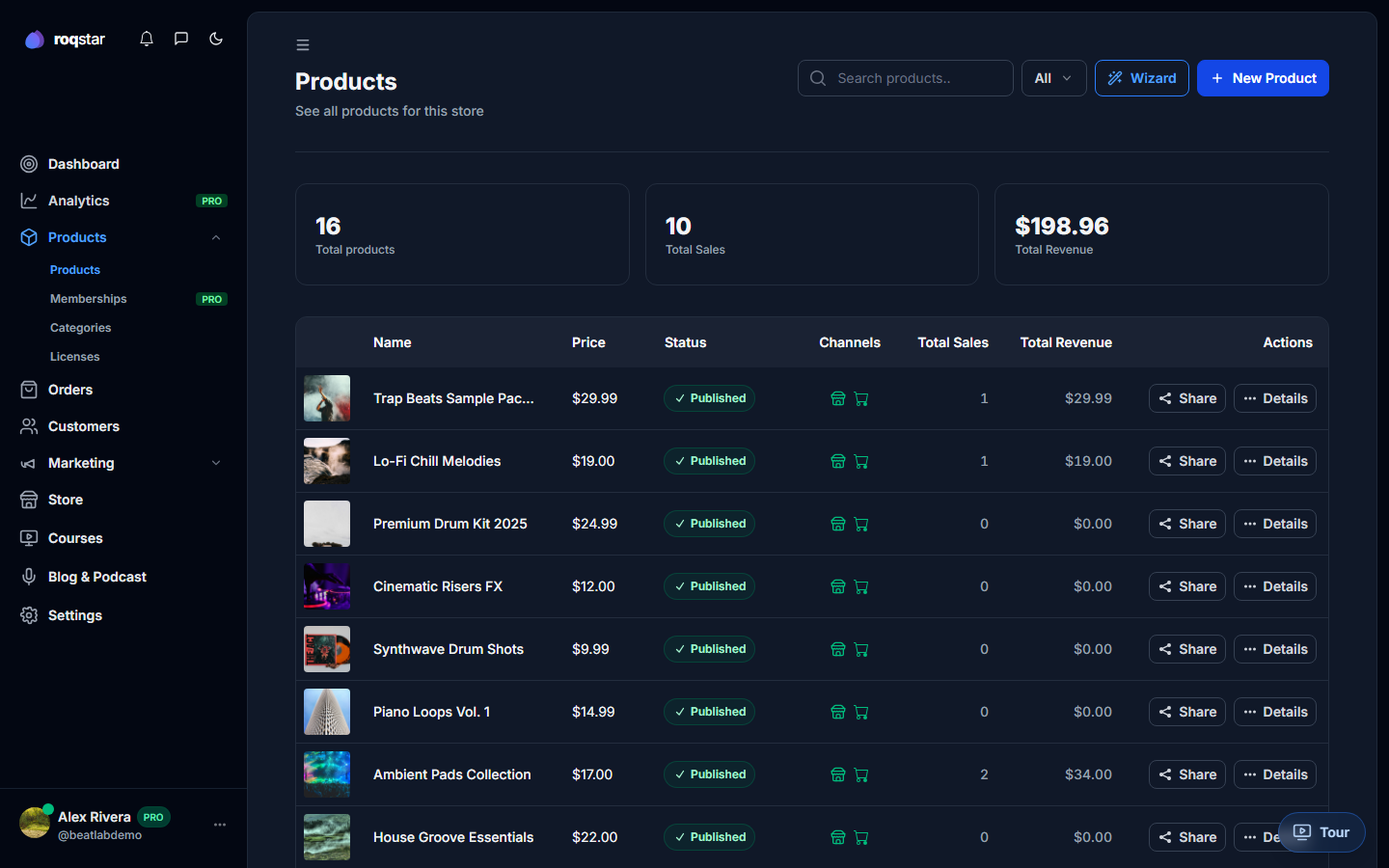
Manage everything you sell under Items in the sidebar.
Product list
Filter by status (Published, Unpublished, Pending), store category, date range, or text search. The table shows thumbnail, name, price, status, category, and total sales. Click a row to open the detail panel.
Creating a product
Click Add Product for the quick slide-over editor, or use the full-page Product wizard with five steps:
- Basics: name, description (visual editor or HTML, with optional AI generation), category, subcategory, store category.
- Pricing: type (Single price, Pay what you want, Lead magnet), price, currency (USD/EUR/GBP).
- Files: upload main deliverable, optional stems (ZIP), add-ons (ZIP/RAR/7z). Maximum 5 GB per file.
- Media: upload product images and audio demos (with waveform preview).
- Review: summary of all fields before publishing.
Channels
Every product can appear on your Store. Listing on the Marketplace may require a minimum number of store sales before the channel unlocks.
Licenses
Attach license terms from built-in presets or create your own in My Licenses. Each license has a name, description, price rule (multiplier or fixed), feature list, and optional category targeting.
Actions
From the product list or detail panel: edit, publish/unpublish, copy checkout link, or delete.