Upsells
Offer a related product at checkout with an optional discount.
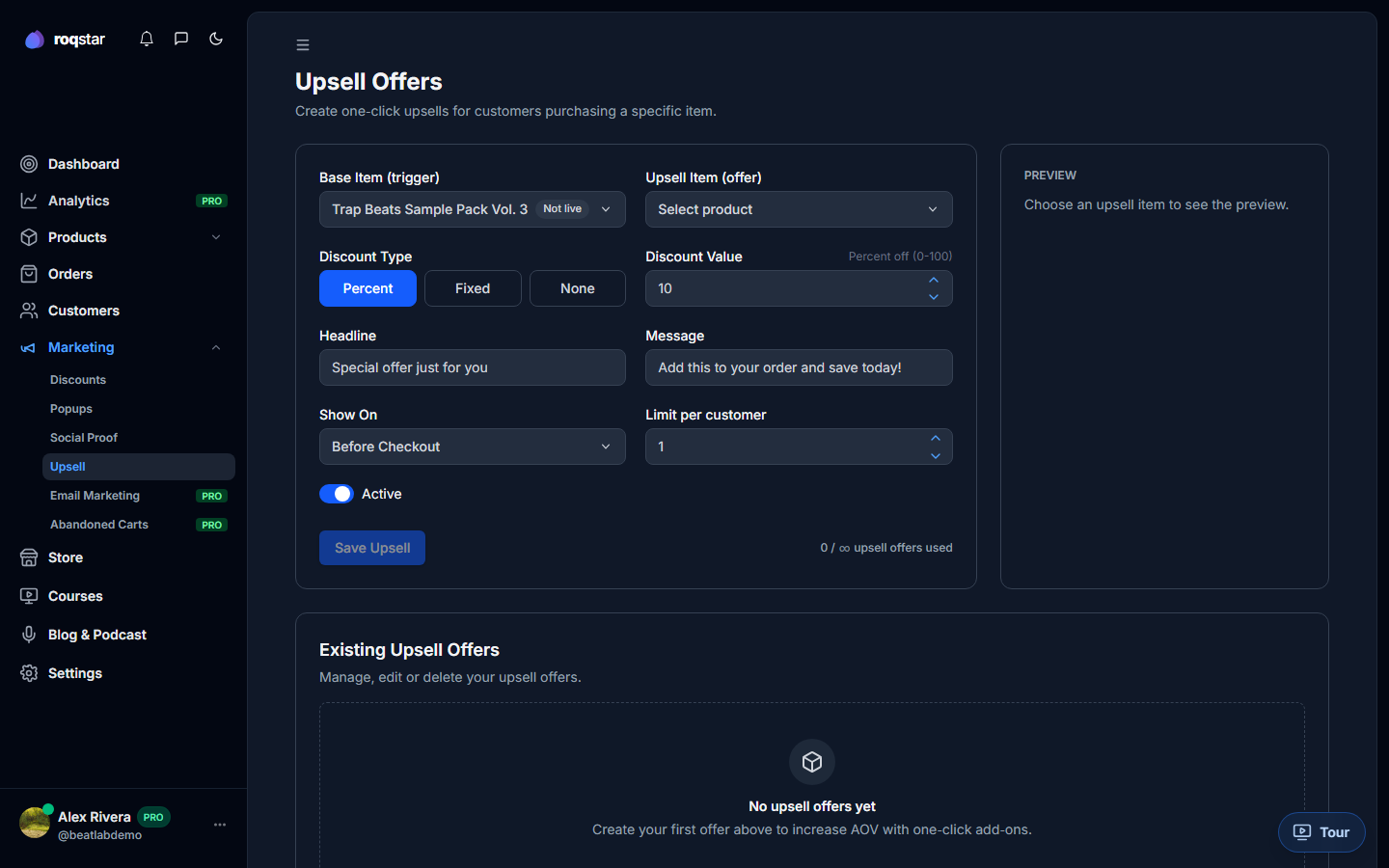
Increase average order value by showing a related product offer before checkout, under Marketing > Upsells.
Creating an upsell
- Base item: the product the buyer is about to purchase.
- Upsell item: the product you want to suggest.
- Discount: Percent, Fixed, or None. For percentage discounts the value is 0-100.
- Headline & Message: the copy shown to the buyer.
- Show on: where the offer appears (Before Checkout).
- Limit per customer: how many times a single buyer sees this offer.
Managing offers
Each offer has an Active toggle. Edit, delete, or create new offers from the list view. Plan limits may cap the number of active upsells.