Courses
How buyers open and progress through courses they purchased or enrolled in.
When a store sells courses, buyers open them from the Courses section in the Customer Portal - the same hub they use for orders and downloads.
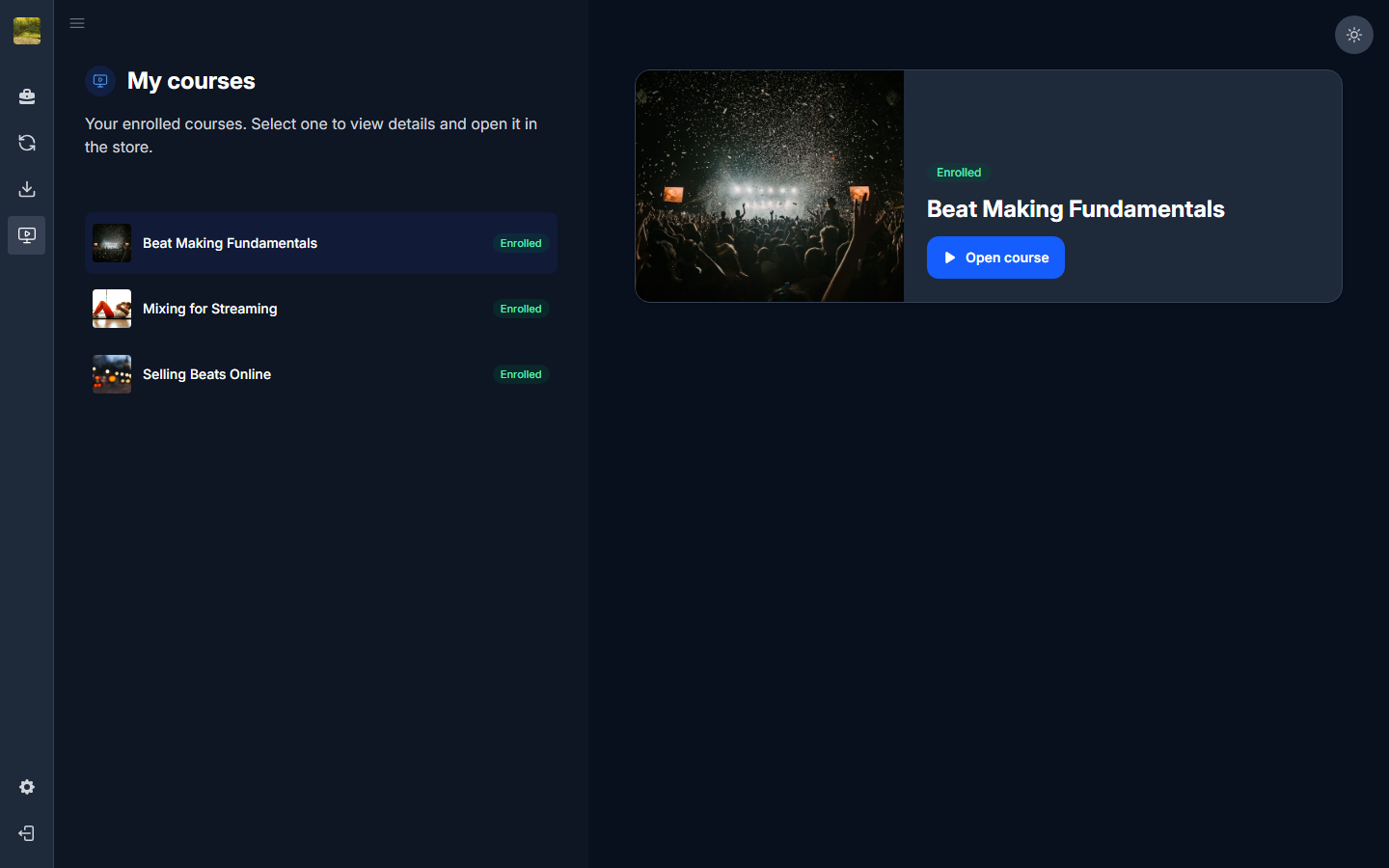
How buyers get to a purchased course
- They sign in to the Customer Portal with the same email used at checkout (magic link).
- They open Courses in the left nav. Purchased courses show an Enrolled badge.
- They select a course and click Open course to launch the player on the store.
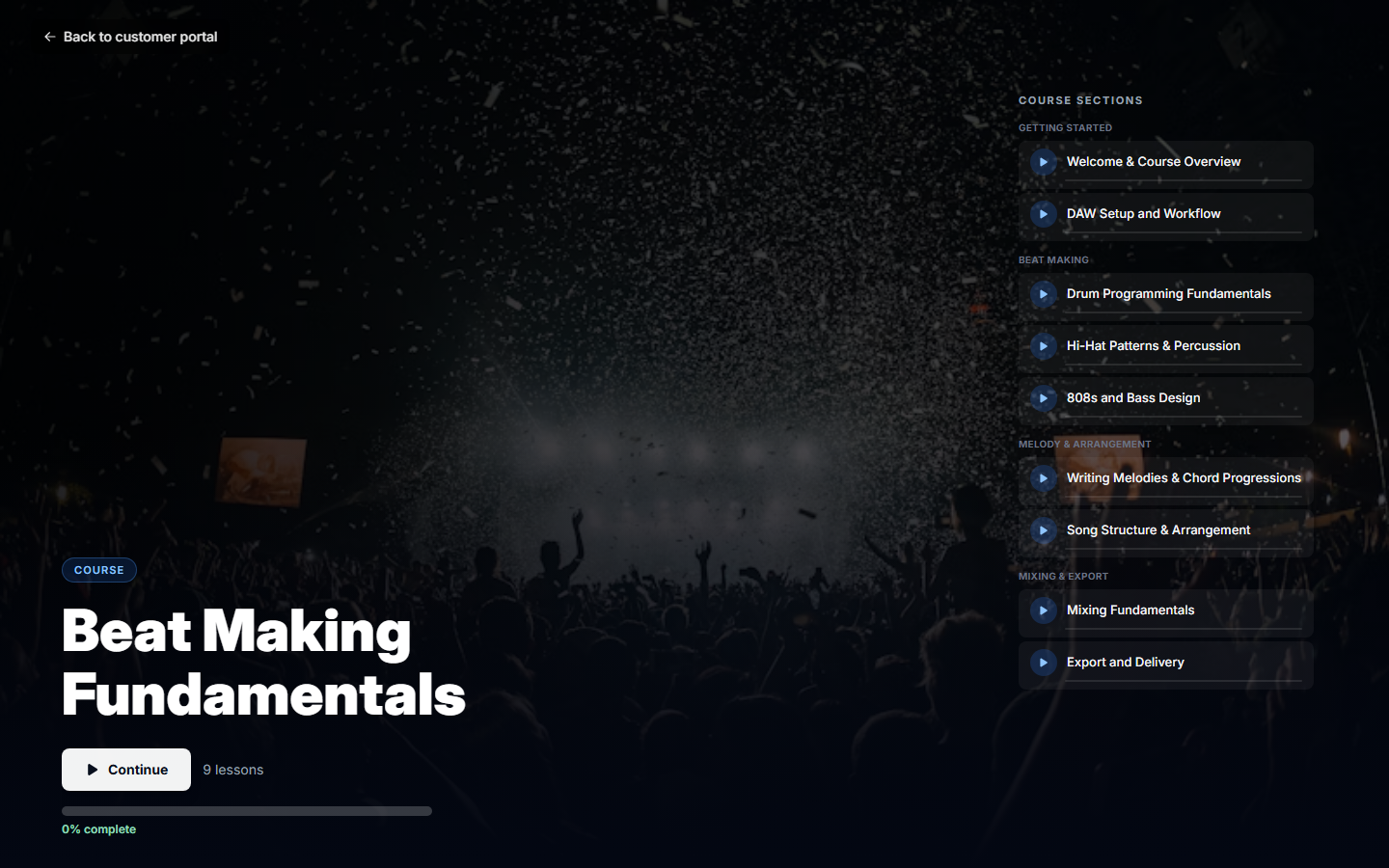
Taking a course
- Work through lessons in order; progress is saved as you go.
- Access continues per the store's access rules (one-time purchase or membership).