Product cards and embeds
Share products anywhere with rich product cards, buy buttons, and embedded checkout.
Promote a product outside your store with a Share and Embed block: a rich product card, a buy button, or an embedded checkout you can drop into any site or email.
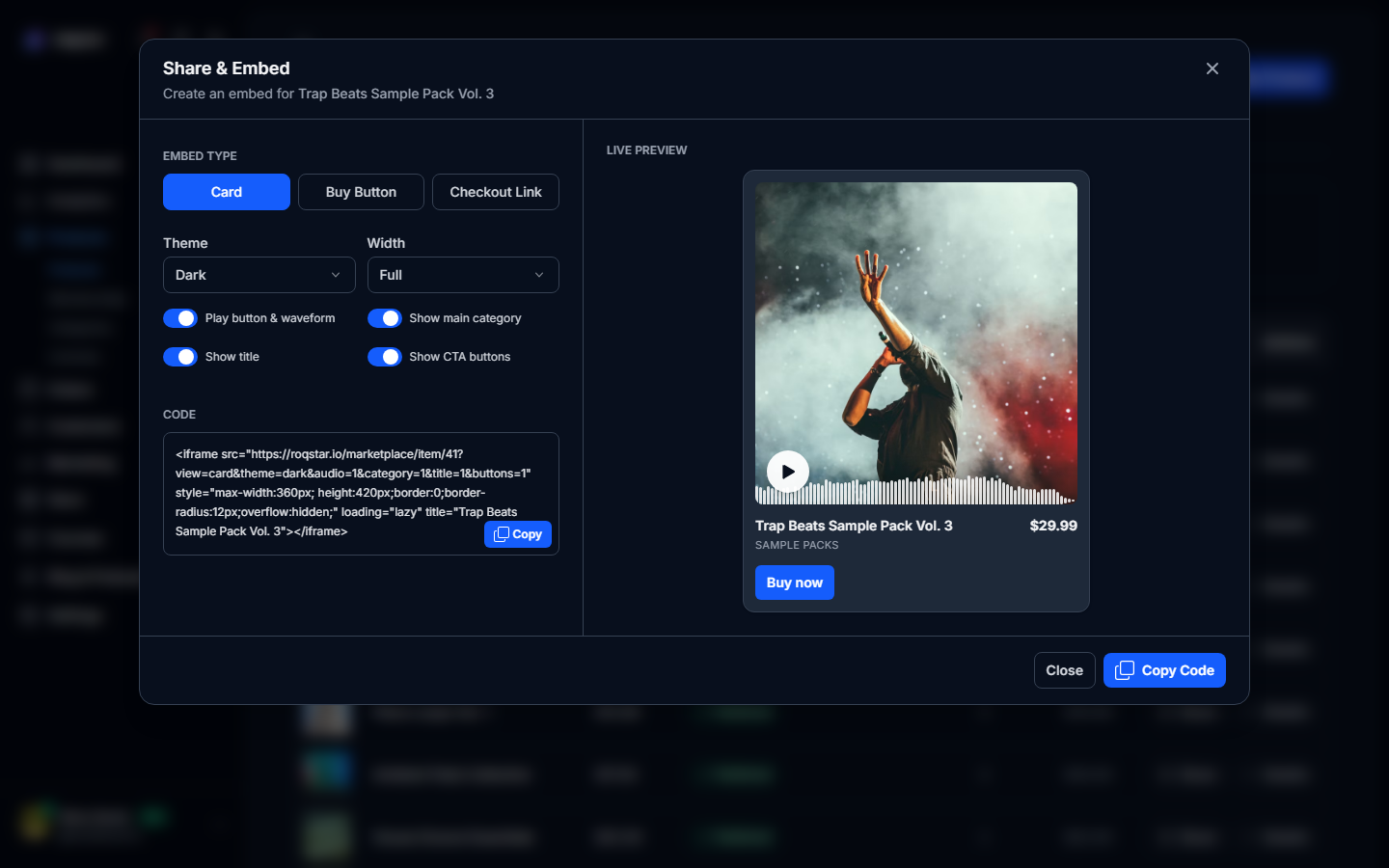
Where to find it
Open Items, select a product, and choose Share and Embed from its actions. The same generator is available under Marketing > Integrations when you want to build embeds without opening each product.
Embed formats
- Product card: image, title, price, and a buy action in a self-contained iframe.
- Buy button: a compact button that opens hosted checkout for the product.
- Embedded checkout: the checkout flow inline on your own page.
How to use it
- Pick the format and copy the generated HTML snippet.
- Paste it into your website, landing page, or newsletter.
- Buyers complete payment through your connected providers, exactly like on your storefront.
Product cards can also be inserted directly into email campaigns.