Payments
Connect Stripe and/or PayPal so buyers can pay you directly. You are the merchant of record; Roqstar has no seller payouts.
Connect Stripe and/or PayPal under Settings > Payments so buyers can pay you at checkout. You need at least one provider.
No Roqstar payouts. Buyer payments go directly to your Stripe or PayPal account. You are the merchant of record (MOR) for your store sales. Roqstar is the software that runs your storefront and checkout. We do not hold your sales proceeds or maintain a seller payout balance.
You are the merchant of record
Roqstar provides the storefront software. Checkout payments are processed through your Stripe and PayPal accounts. You - not Roqstar - are the merchant of record (MOR) for your store sales. Roqstar does not take custody of buyer payments for those sales.
- You connect and own the payment accounts used at checkout.
- You are responsible for account setup, verification, taxes, refunds, chargebacks, disputes, and keeping your accounts in good standing.
- Any negative balances, holds, restrictions, or losses on your connected Stripe or PayPal accounts are your responsibility. Roqstar is not liable for them.
See our Terms of Service for full details.
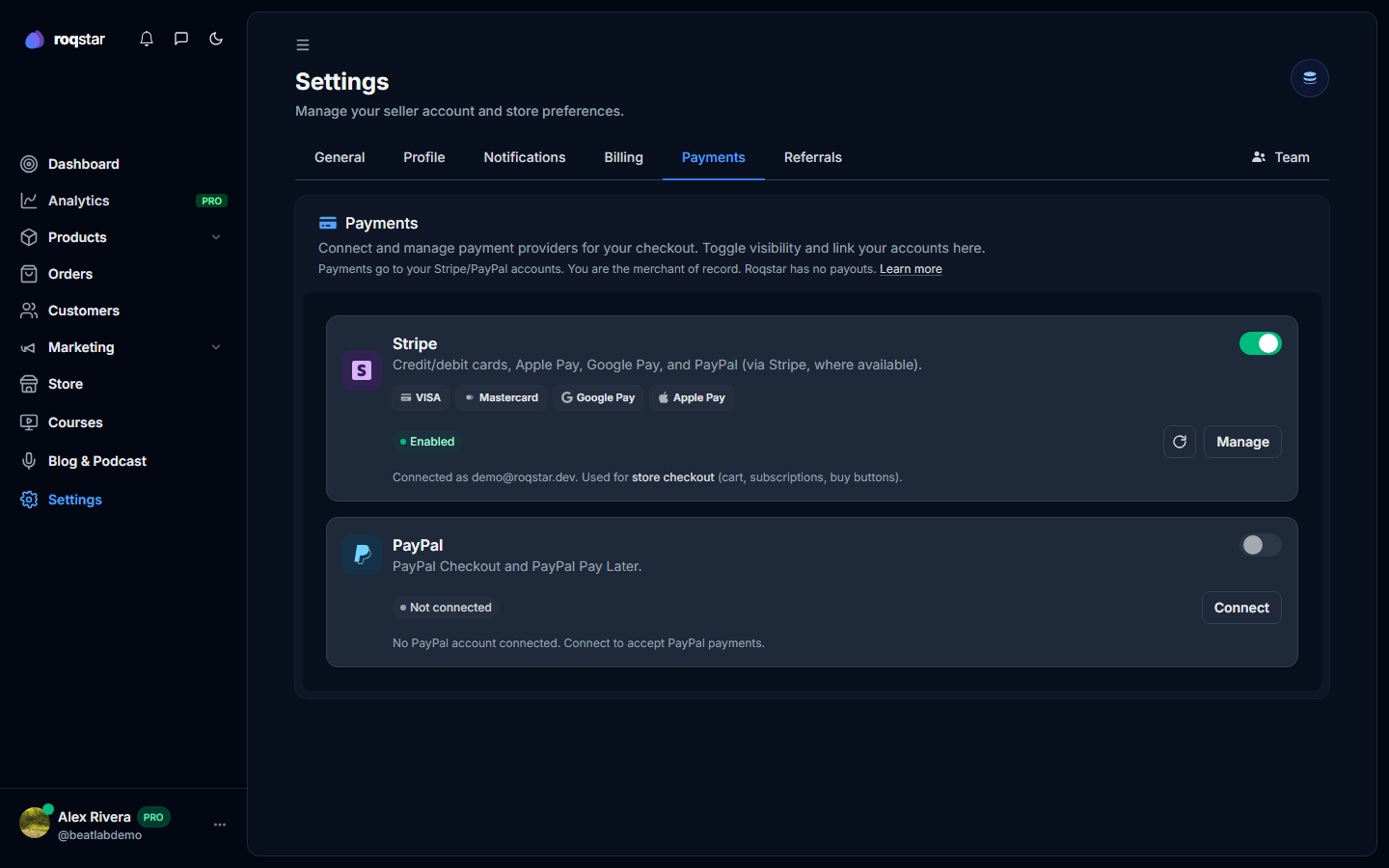
Stripe Connect
Optional for storefront checkout (PayPal alone is fine). Required for memberships (recurring billing) and required to list on the marketplace when marketplace is available and you are approved to submit.
- Click Connect an existing Stripe account (or Create a free Stripe account if you need one).
- Complete Stripe onboarding: identity, bank account, tax info (varies by country).
- Return to Roqstar; status must show connected/enabled before Stripe checkout works.
Step-by-step: How to add payment options.
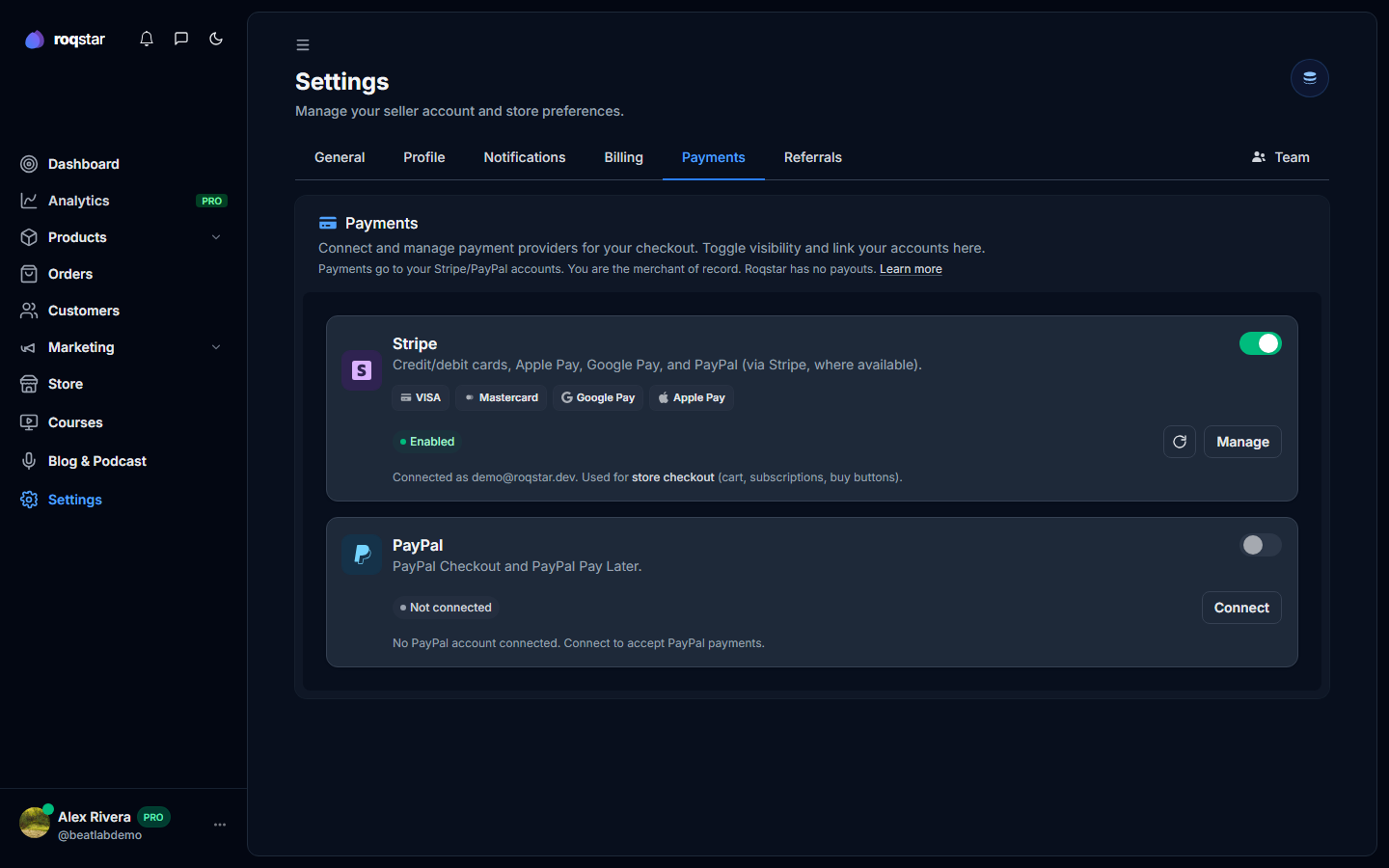
PayPal
Where available, connect PayPal alone or alongside Stripe. Either provider can power storefront checkout.
How you get paid
There is no Roqstar Payouts page and no Roqstar seller balance for store sales. When a buyer pays, funds go to your connected Stripe or PayPal account. Those providers settle to your bank on their own schedules. Check your Stripe Dashboard or PayPal account for timing and history.
Setup checklist
The Setup page auto-marks "Connect payments" complete when Stripe or PayPal is connected and charges are enabled.